Skip to content

APP GUIDE

A little guidance.
Everything in its place.

Find the practical details when you need them.

Getting Started

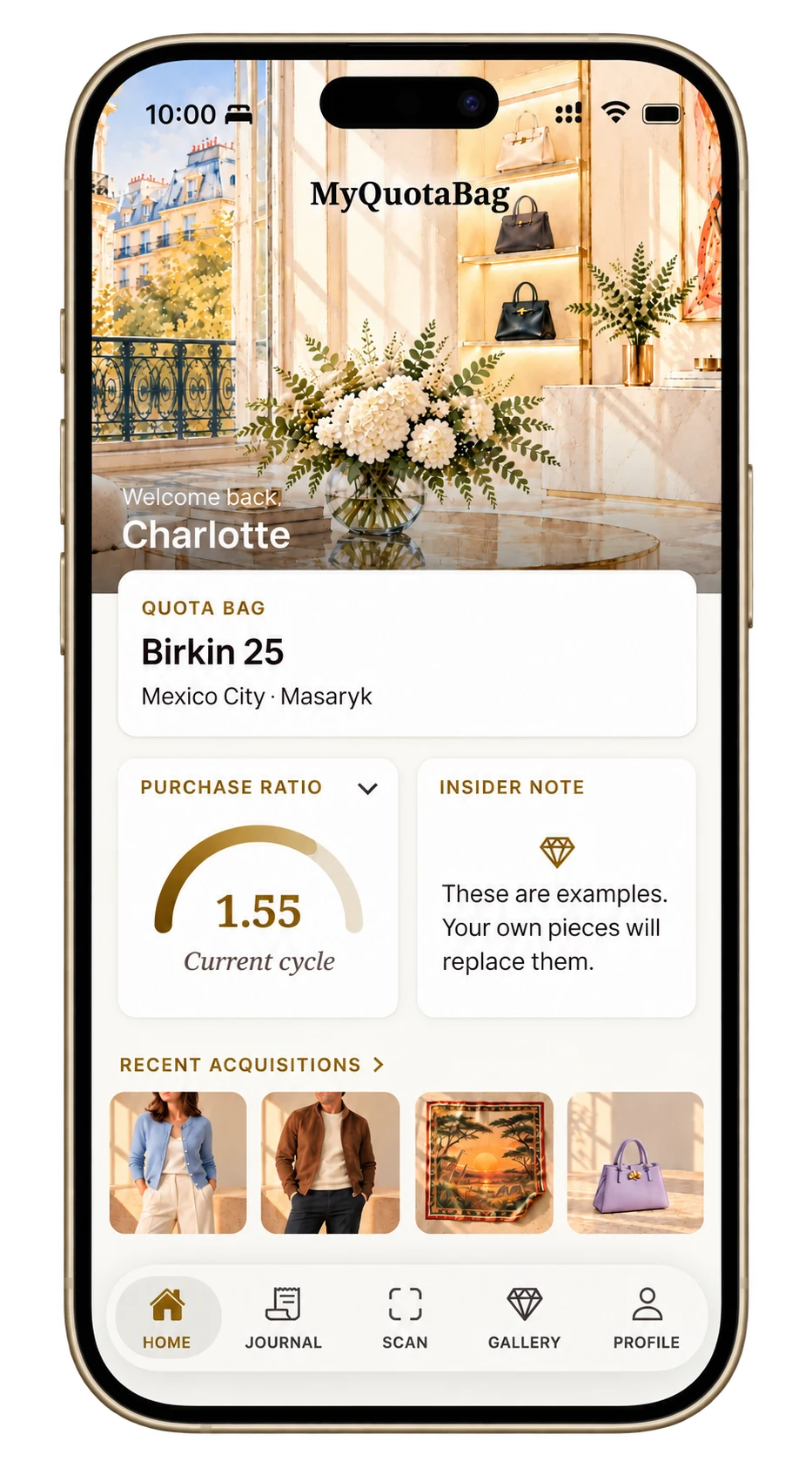
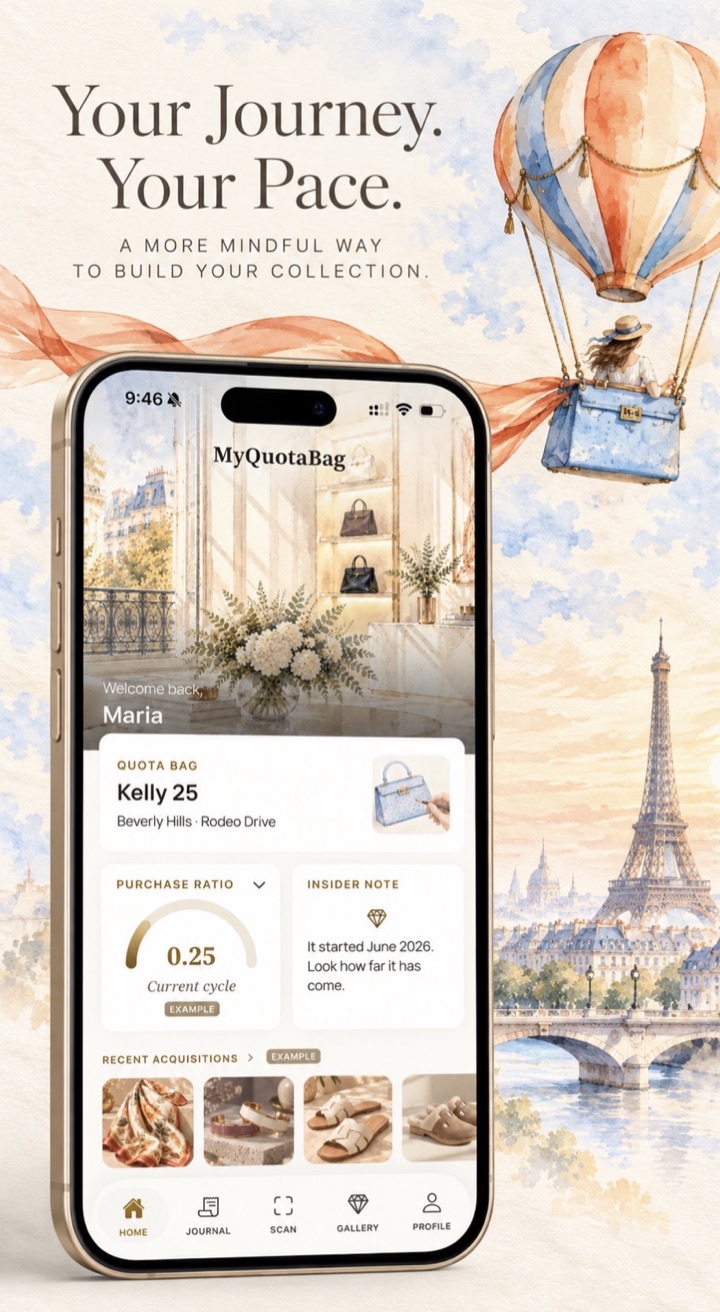
MyQuotaBag Home showing a Quota Bag, the Purchase Ratio and recent acquisitions.
Home · Your journey at a glance

Manual entry

Add a purchase by hand, including pieces you bought before downloading the app. Enter the details you have and add photos when they matter.

Scan

Use Take photo for a paper receipt or Choose photo for a saved receipt image. Review and correct the extracted details before saving. Hide personal information you do not want processed before scanning.

Import from screenshots

Use a selected screenshot to help complete item information. Review the details before saving a Dream Item or purchase.

Receipt scanning and review

Reads receipts from many countries and currencies; works best in English today. You review everything before saving.

The basic on-device reader is tested on US and Canadian Hermès receipts.

Always available, anywhere, with no image.

Collection

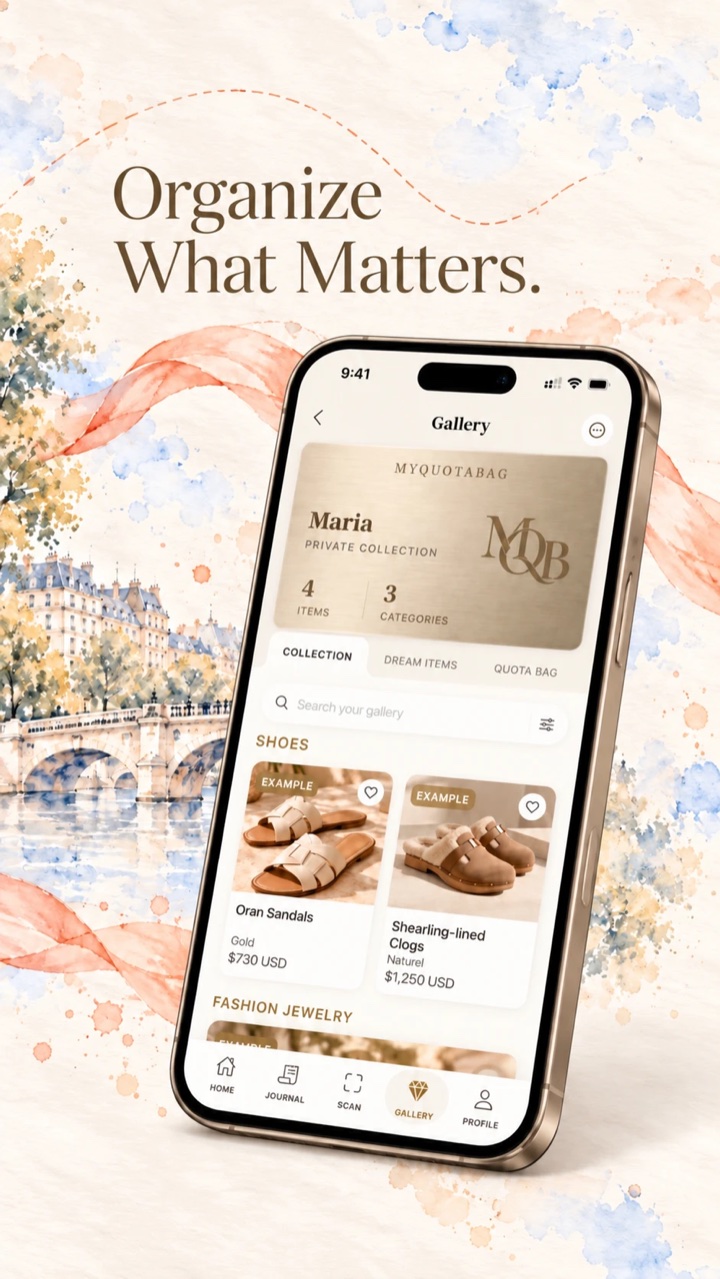
Gallery brings together your saved collection, Dream Items (wishlist) and Quota Bag. Keep photos, purchase details and receipts close to each piece.

MyQuotaBag Gallery showing the Collection tab and saved pieces.
Gallery · Your saved collection

YOUR COLLECTION

See the pieces you own.

Browse your saved collection in Gallery. Keep photos and details for your bags, scarves, jewelry, shoes and other pieces. Revisit what you already own, whether you are getting dressed or considering something new.

Journal

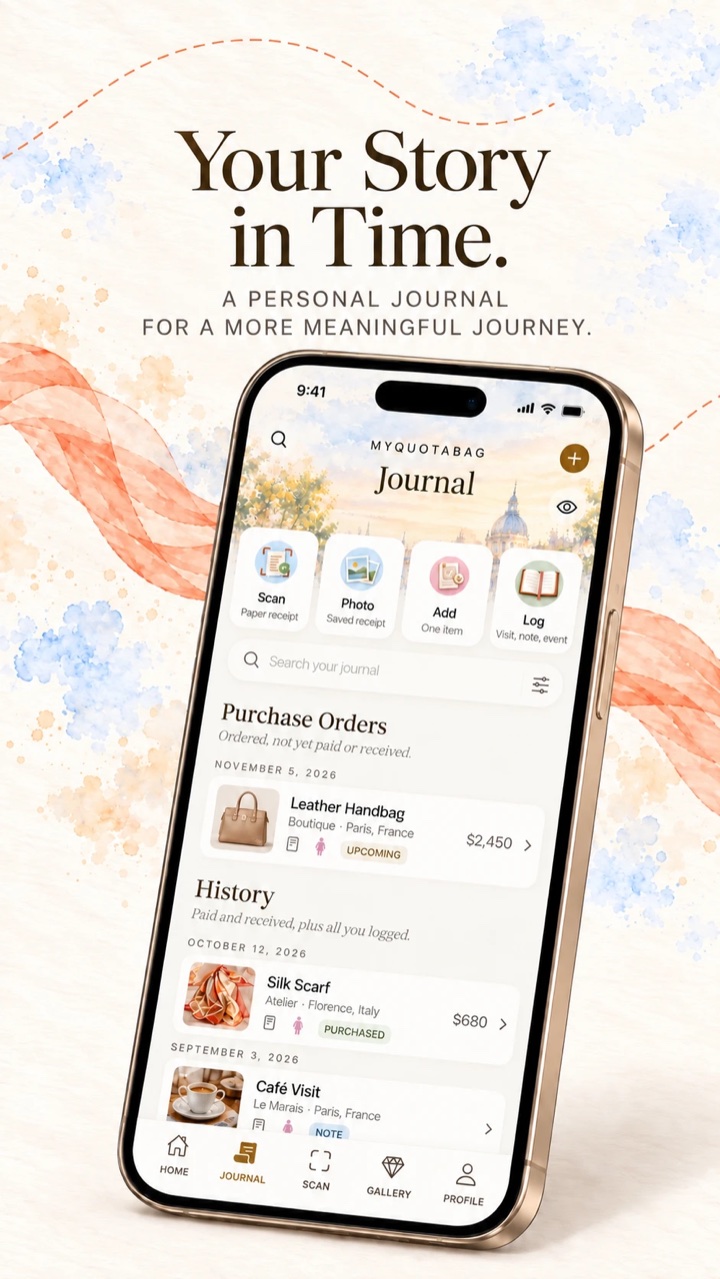
Keep purchases, boutique visits, personal notes and your history together. Search the records you have saved.

MyQuotaBag Journal showing purchase orders and recorded history.

YOUR RECORDS

Know what you paid. Find what you kept.

Keep purchase dates, amounts, currencies, boutiques and product photos with your records. Sign in to save receipt images with your purchases. Export your collection as a PDF or CSV when you need a copy outside the app.

These are your recorded purchases, not a market appraisal or a guarantee of insurance coverage.

Insights

Review category mix, acquisition trends and personal figures. Your recorded purchases supply the numbers. A Purchase Ratio is context for your own records, never a forecast of an offer.

MyQuotaBag showing personal purchase figures and Purchase Ratio.
Your figures · Spending, categories and Purchase Ratio

YOUR NUMBERS

Understand your spending and Purchase Ratio.

See your recorded spending, category mix and purchase history together. Following your pre-spend? Your personal Purchase Ratio puts eligible recorded purchases in relation to the reference price of your chosen Quota Bag.

It describes your records. It is not an Hermès rule, a spending target or a prediction of a Birkin or Kelly offer.

Account & Guest Mode

BEFORE YOU DOWNLOAD

MyQuotaBag at a glance.

The facts, in one place. Nothing to guess.

Available now on the App Store · iPhone and iPad · Free today

Available
Available now on the App Store.
Devices
iPhone and iPad. See the App Store for current system requirements.
Price today
MyQuotaBag is free to download and use today.
Premium
Paid Premium plans are planned. Prices, any trial and what remains free will be explained in the app and on the App Store before they take effect.
Account
Start as a guest or sign in with Apple or Google.
Guest mode
Keep a local collection with unlimited manual purchase entries, product photos, visits, Dream Items and personal figures on your device. Guest mode includes three AI receipt scans in total. Scanned purchases can be saved, but their receipt images are not retained in guest mode. Daily Reflection requires an account.
Adding purchases
Add purchases by hand or scan a receipt and review the extracted details. You can also use selected screenshots to help complete item information.
Receipt scanning
AI reads the receipt image you choose. Review and correct the details before saving. Manual entry is always available.
Export
Export your recorded collection as a PDF or CSV.
Your data
We do not sell your data, use it for advertising or share it with Hermès. Our service providers process information to run the app, as explained in the Privacy Policy.
Android
Not currently available.
Language
English.
Hermès
Independent, not affiliated with Hermès. Does not predict offers.

Last verified on October 3, 2026. Machine-readable facts

Availability and pricing checked on October 7, 2026. See the App Store for the latest listing. View on the App Store


PRICING

Free today.

MyQuotaBag is free to download and use today. Paid Premium plans are planned. Prices, any trial and what remains free will be explained in the app and on the App Store before they take effect. Any future App Store subscription will be managed through Apple.

Export

Export your recorded collection as a PDF or CSV for your personal records. Keep original receipts and documents alongside your exports.

To share a piece, create a Share Card with your own words. Its purchase price, receipt, boutique and private notes are left out.

An exported inventory is not an authentication certificate, an appraisal or an insurance policy.

DAILY REFLECTION

A quiet moment with your collection.

Each day, a few thoughtful lines drawn from your own purchases, visits and notes. Choose encouragement, a surprise or a fresh perspective on your collection. It never mentions amounts and never predicts an offer. It opens once you have an account and three purchases.

Keep a copy. Share a piece.

Export your collection as a PDF or CSV for your personal records. To share something you love, create a Share Card with the piece and your own words, without its purchase price, receipt, boutique or private notes.

You choose what to export and who to share it with. An inventory record is not an authentication certificate, an appraisal or an insurance policy.

CLEAR ABOUT YOUR DATA

Your collection. Your choices.

Read the Privacy Policy

Sign in to keep scanned receipt images with your purchases. In guest mode, the purchase is saved but the receipt image is not retained.

Read the Terms of Service

Start privately. Sign in when you need to.

Guest records stay on your device. With an account, your collection and saved images use private cloud storage linked to you, so you can access them across supported devices.

Choose how to add a purchase.

Enter it by hand or use AI to read the receipt image you select. You review the details before saving. Scanning sends that selected image to a service provider, as explained in our Privacy Policy.

We do not sell your data.

We do not use your data for advertising or share it with Hermès. Service providers process information only as described in our Privacy Policy. Public website research stays separate from private app records.

Keep control of your records.

Export your collection as a PDF or CSV. You can delete your account and its data from inside the app. The Privacy Policy explains storage, processing and deletion, including recovery backups.

ABOUT THE APP

Troubleshooting & common questions.

Ask us a question
Do I need an account?

No. You can begin as a guest and keep records on your device. Sign in with Apple or Google to save receipt images with purchases and access your collection across supported devices. Guest data can be lost if you delete the app or reset your device. Daily Reflection requires an account.

What happens when I scan a receipt?

The receipt image you choose is sent to an external AI service provider to read the purchase details. Hide or crop personal information you do not want processed before scanning. Review and correct the result before saving. When you are signed in, the receipt image is saved with the purchase. In guest mode, the purchase is saved but the receipt image is not retained. Manual entry is always available.

Where are my photos and receipts stored?

With an account, your saved product photos, receipt images and Dream Item photos use private cloud storage linked to your account. As a guest, product photos you save stay on your device, but scanned receipt images are not retained. The Privacy Policy explains processing, storage and deletion.

Can I export records for insurance or documentation?

You can export your recorded collection as a PDF or CSV. It can help you organize information for a conversation with your insurer or for your own records. It is not an appraisal, proof of authenticity or a guarantee that an insurer will accept a claim. Keep original documents and check any requirements with your insurer.

Can I cancel a subscription?

There is no paid subscription to cancel today. If Premium is introduced through the App Store, subscriptions will be managed through Apple. The app and App Store will explain the offer before it takes effect.

See all questions